 techruzz
In the modern software development landscape, trust is everything. When users download an application, they need to know that the software hasn’t been tampered with and actually comes from the claimed publisher. This is where code signing comes into play. By applying a digital signature to executables, scripts, and installers, developers can assure users of their software’s integrity and authenticity.
However, the process of code signing—especially on Windows—has historically been fraught with complexity. From wrestling with command-line utilities to managing cryptographic certificates, it can feel like a massive hurdle.
Enter the Code Signing Toolkit, a modern, offline-first desktop application designed to take the pain out of signing your code. In this article, we’ll explore what makes this toolkit a must-have utility for developers of all skill levels.
The Struggle is Real: The Pain Points of Traditional Code Signing
For many developers, especially those who are newer to the Windows ecosystem or independent software vendors, the native tools for code signing can be incredibly intimidating. The primary utility provided by Microsoft, signtool.exe, is a powerful command-line tool, but it requires developers to remember complex syntax, manually locate the executable within the massive Windows SDK directories, and carefully manage certificate passwords and timestamping servers.
Furthermore, managing the certificates themselves is another beast entirely. Generating a self-signed certificate for testing, exporting it to the correct PKCS#12 format, and ensuring it is trusted by the local machine often involves navigating the confusing Windows Certificate Manager GUI or writing lengthy PowerShell scripts. When you add the requirements of hardware security modules (HSMs) or USB tokens for commercial distribution, the process transforms from a simple task into a full-day project. This friction often leads to developers skipping code signing entirely during the development phase, which can result in bad habits and security warnings down the line.
Enter Code Signing Toolkit: A Breath of Fresh Air
The Code Signing Toolkit was built to solve these exact problems. Unlike bloated, cloud-dependent platforms that require you to create accounts and upload your sensitive binaries to remote servers, this toolkit is a proudly offline, standalone desktop application. Built using Python, modern cryptography libraries, and modern Tkinter UI principles, it provides a clean, intuitive graphical interface that wraps around the native Windows signing capabilities.
Because it operates entirely offline with zero telemetry, your proprietary source code and binaries never leave your machine. This makes it an incredibly attractive option for security-conscious developers and organizations working on sensitive projects. The toolkit bridges the gap between raw command-line power and user-friendly design, allowing you to go from an unsigned binary to a trusted, timestamped executable in just a few clicks.
Core Features That Streamline Your Workflow
At its heart, the free version of the Code Signing Toolkit is packed with features that address the most common daily tasks for a developer:
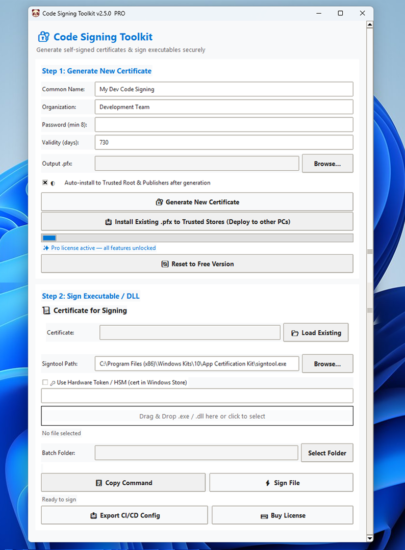
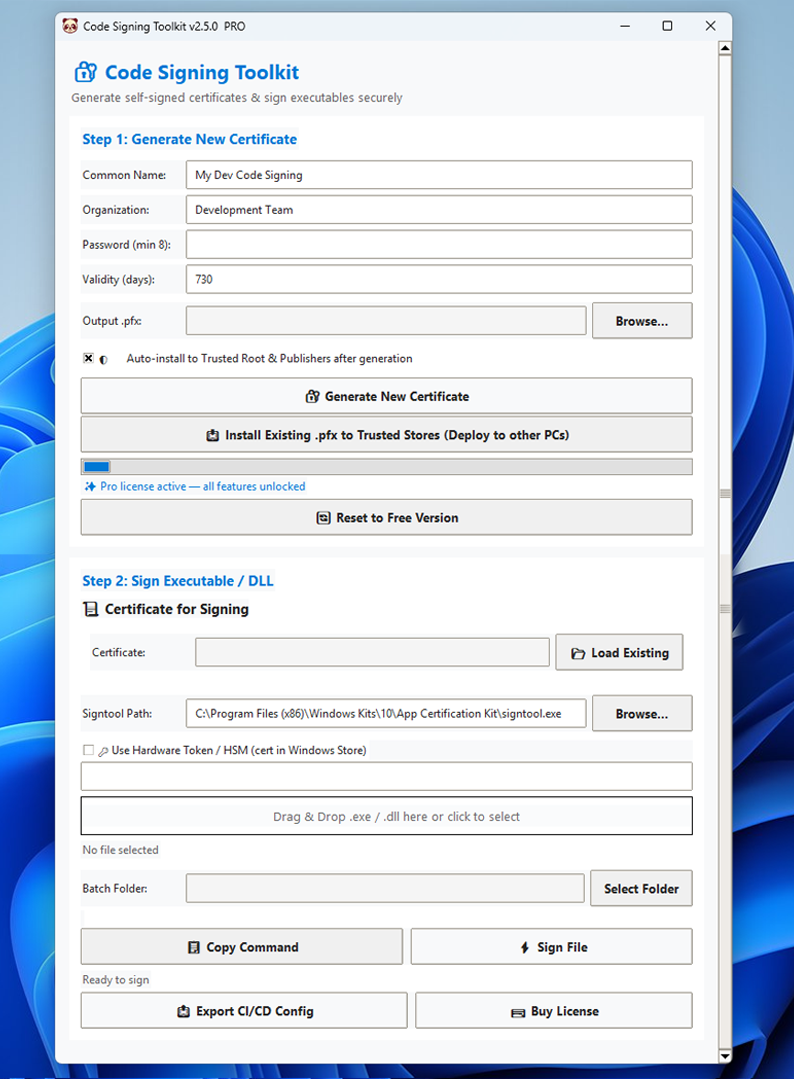
- Effortless Self-Signed Certificates: Need a certificate for testing? The toolkit allows you to generate robust 4096-bit RSA .pfx certificates locally. You can easily customize the Common Name (CN), Organization, and validity period. The generated certificates are fully PKCS#12 compliant and exportable, saving you from dealing with OpenSSL command-line flags.
- Drag & Drop Signing: The user interface is built around simplicity. You simply drag your .exe, .dll, or .msi files into the designated signing zone. With one click, the app constructs the underlying signtool command, applies RFC 3161 timestamping (crucial for ensuring your signature remains valid even after the certificate expires), and signs the file.
- Smart Signtool Detection: One of the most frustrating parts of using signtool.exe is finding where it is installed. The toolkit automatically scans and detects signtool.exe across various Windows SDK, Visual Studio, and App Certification Kit paths, eliminating manual path configuration.
- HSM and Hardware Token Compatibility: For commercial developers who use USB security tokens or Hardware Security Modules (HSMs) to protect their private keys, the toolkit has you covered. You can easily sign using these devices by simply providing the certificate thumbprint, and it supports all standard CSP/KSP providers.
Leveling Up with the Pro Version
While the free tier is incredibly generous—perfect for personal, educational, and standard development use—the developers of the toolkit offer a “Pro” license for a highly reasonable one-time fee of $29. This unlocks a suite of features tailored for production environments and commercial distribution:
- Batch Signing: If you are building a complex application with dozens of DLLs and executables, signing them one by one is tedious. The Pro version allows you to drop entire folders into the app and batch-sign everything at once.
- CI/CD Pipeline Exports: In modern DevOps, automation is key. The Pro version allows you to export ready-to-use configuration files for GitHub Actions or Azure DevOps pipelines. This means you can seamlessly integrate the toolkit’s signing logic directly into your automated build processes without having to write the pipeline scripts from scratch.
- Trusted Store Auto-Install: Testing self-signed certificates usually requires manually importing them into the Windows Trusted Root and Trusted Publishers stores. The Pro version automates this installation process (requiring admin privileges), making local testing significantly faster.
- Commercial Use Rights: If you are an independent software vendor (ISV) or a freelancer distributing commercial software, the Pro license grants you the legal rights to use the tool for production distribution, complete with priority email support and lifetime updates for the v1.x branch.
Security and Privacy: The Offline Advantage
In an era where software supply chain attacks are on the rise, developers are becoming increasingly wary of tools that require internet connectivity or cloud synchronization. The Code Signing Toolkit’s “no cloud dependencies, no account required” philosophy is its strongest selling point. Because the application never phones home and contains no telemetry, you have absolute peace of mind knowing that your private keys, passwords, and unsigned binaries are not being transmitted over the network. It is a localized utility that does exactly what it says on the tin, respecting both your time and your security.
Who Should Use the Code Signing Toolkit?
This toolkit is versatile enough to serve a wide array of users:
- Independent Developers and Hobbyists: The free tier is perfect for signing personal projects, game mods, or open-source utilities without the overhead of complex CLI tools.
- DevOps Engineers: The CI/CD export features in the Pro version make it a valuable asset for teams looking to streamline their automated release pipelines.
- Small Software Agencies: Small teams that need to distribute commercial .msi installers to clients will benefit immensely from the batch signing and HSM support.
- Students and Educators: Those learning about cryptography, PKI (Public Key Infrastructure), and software security can use the tool to generate certificates and understand the signing process visually.
Conclusion
Code signing doesn’t have to be a dreaded chore reserved for system administrators or DevOps veterans. The Code Signing Toolkit successfully takes a notoriously complex Windows process and wraps it in a beautiful, secure, and highly functional offline application. Whether you are generating your first self-signed certificate for a school project, or batch-signing hundreds of DLLs for a commercial enterprise release, this toolkit provides the exact features you need without the bloat. At a free entry point and a highly affordable $29 Pro license, it is an essential addition to any Windows developer’s utility belt. Head over to their website, download the toolkit, and take the headache out of code signing today.
Rate post